
USSD Mobile Banking

Bank wherever you are, even without mobile data or an internet connection. Dial *715# today on any local network to access your bank accounts, make payments, buy airtime and view mini statements.
Some benefits of our USSD Mobile Banking
Bank without data
Manage your day-to-day banking on your phone, even without mobile data
Verify transactions
Approve transactions securely using OTPs sent directly to your phone
Bank safely
No banking details are stored on your device, and all data transfers are encrypted
Bank on any device
Bank securely on any mobile phone
What you get
- Bank anytime, anywhere without needing internet access, mobile data or a branch
- Access your accounts when travelling abroad (contact your service provider to activate international roaming)
- Top up airtime quickly and conveniently from your phone
- Fast, affordable bank at your fingertips
- Bank with confidence using a safe, convenient and reliable service
- Pay the beneficiaries you’ve set up on Online Banking
What you can do
- Balance enquiries
- Get mini statement (last 5 transactions)
- Transfer funds between your accounts
- Pay beneficiaries
- Buy airtime and data
- Send Instant Cash
How to get it
Register online:
- Register for mobile banking here and complete the registration steps.
- You’ll receive your PIN via SMS. Once you’ve received your PIN, dial *715# on your mobile phone and start transacting.
Register at a branch:
- Visit your nearest branch and complete an E-Banking Application Form. You’ll receive your PIN via SMS.
- Dial *715# on your mobile phone and use your PIN to sign in. You’ll be asked to change your PIN to one you’re most comfortable with.
Tip: Never share your OTP or PIN with anyone. The bank will also never ask you to share these details.
-
What you get
-
What you can do
-
How to get it
- Bank anytime, anywhere without needing internet access, mobile data or a branch
- Access your accounts when travelling abroad (contact your service provider to activate international roaming)
- Top up airtime quickly and conveniently from your phone
- Fast, affordable bank at your fingertips
- Bank with confidence using a safe, convenient and reliable service
- Pay the beneficiaries you’ve set up on Online Banking
- Balance enquiries
- Get mini statement (last 5 transactions)
- Transfer funds between your accounts
- Pay beneficiaries
- Buy airtime and data
- Send Instant Cash
Register online:
- Register for mobile banking here and complete the registration steps.
- You’ll receive your PIN via SMS. Once you’ve received your PIN, dial *715# on your mobile phone and start transacting.
Register at a branch:
- Visit your nearest branch and complete an E-Banking Application Form. You’ll receive your PIN via SMS.
- Dial *715# on your mobile phone and use your PIN to sign in. You’ll be asked to change your PIN to one you’re most comfortable with.
Tip: Never share your OTP or PIN with anyone. The bank will also never ask you to share these details.
Frequently asked questions
What is USSD Mobile Banking?
USSD Banking allows you to perform transactions directly from your mobile phone without the need for an internet connection.
How do I register for USSD Banking?
Register for USSD Banking online by visiting our Customer Self Service page and following the steps.
You’ll receive a PIN via SMS after signing in online. Once you’ve received your PIN, dial *715# on your mobile phone and start transacting.
Do I need internet access to use USSD Banking?
No. USSD Banking works on both smartphones and feature phones without internet connectivity.
What transactions can I perform via USSD?
You can:
- Check account balances
- Transfer funds
- Buy airtime
- Send Mobile Money
- Pay bills
- Access mini statements
Is USSD Banking available 24/7?
Yes. The service is available at any time, subject to network availability.
Is USSD Banking secure?
Yes. Transactions are protected through PIN authentication and secure banking protocols.
What should I do if I forget my PIN?
Call the Customer Contact Centre on 030 281 5789 or visit your nearest branch to reset your PIN.
Can I use USSD Banking on any mobile network?
Yes, USSD Banking works across all mobile network providers in Ghana.
Are there charges for using USSD Banking?
Registering for USSD Mobile Banking is free. Charges may apply depending on the transactions performed.
What should I do if a transaction fails?
Check your account balance and transaction history. If the issue persists, call the Customer Contact Centre on 030 281 5789.
More ways to bank

Mobile Banking App
Whether you are rushing to get all your daily chores done, relaxing on holiday or negotiating the next deal for your business, our new banking app allows you to now do more with your time without interrupting your schedule

Online Banking
Enjoy secure, convenient access to your accounts, giving you the freedom to bank, make payments and stay in control from wherever you are.
ATM Banking
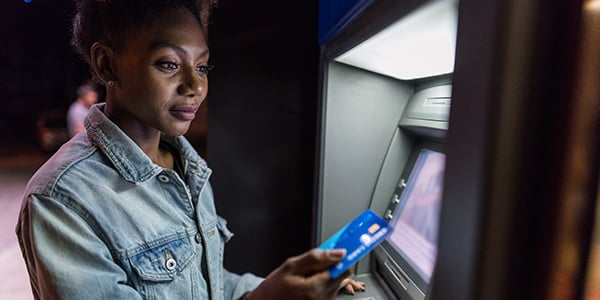
Our ATMs allow you to access your funds, transfer between your accounts, make cash deposits to any Stanbic account, make withdrawals with or without a card 24 hours a day without visiting a branch
Bulk Cash Deposit Machines
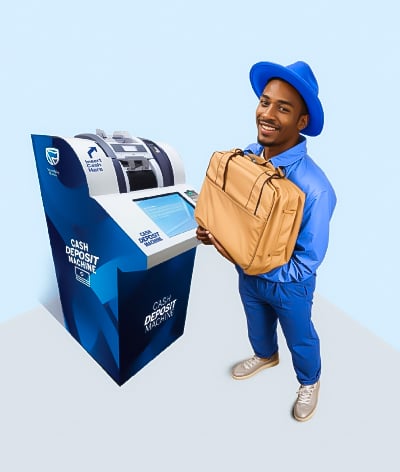
Make cash deposits anytime with Stanbic Bank’s Bulk Cash Deposit Machines, available 24/7 at 16 branches nationwide. Secure, fast, and easy to use, these self-service kiosks verify your identity with the Ghana Card, validate banknotes, and provide instant transaction confirmations.